Setting up Homelab with TrueNAS Scale
Around the end of 2024, I started to search for homelab NAS builds. One big driving force is the expensive cloud storage pricing offered by Google, and the fact that One Drive on my University started to reduce the available storage 5TB in 2020 to merely 50GB in 2025 (outrageous 99% reduction!).
I begin my search on NAS hardware, and found some brands that I have considered to purchase:
- Synology NAS
- + Popular NAS brand, acceptable pricing, intuitive OS
- - Recently has controversy of locked-in drive
- TrueNAS
- + Open source OS (TrueNAS Scale)
- - Expensive
- Ugreen NAS (New NAS player from China)
- + Cheaper alternative
- - UGreen OS lacks some features
Long story short, I ended up decided to go with the cheaper alternative with UGreen NAS, but using TrueNAS Scale as the OS (as I don't really like the UGOS).
The Hardware and Price
Lets break down the total cost of the NAS:
- NAS (UGreen DXP 4800), 2200 RMB or ~300 USD
- Intel N100, 4 HDD Bay, 2 SSD Bay, 8GB RAM, Include 32GB OS drive
- HDD (4 x 14TB WD Ultrastar DataCenter), secondhand enterprise HDD for 3200 RMB or ~ 450 USD
- 64GB SSD for Apps pool (I donored from my old steamdeck)
- 32GB DDR5 RAM upgrade, 800 HKD or ~100 USD
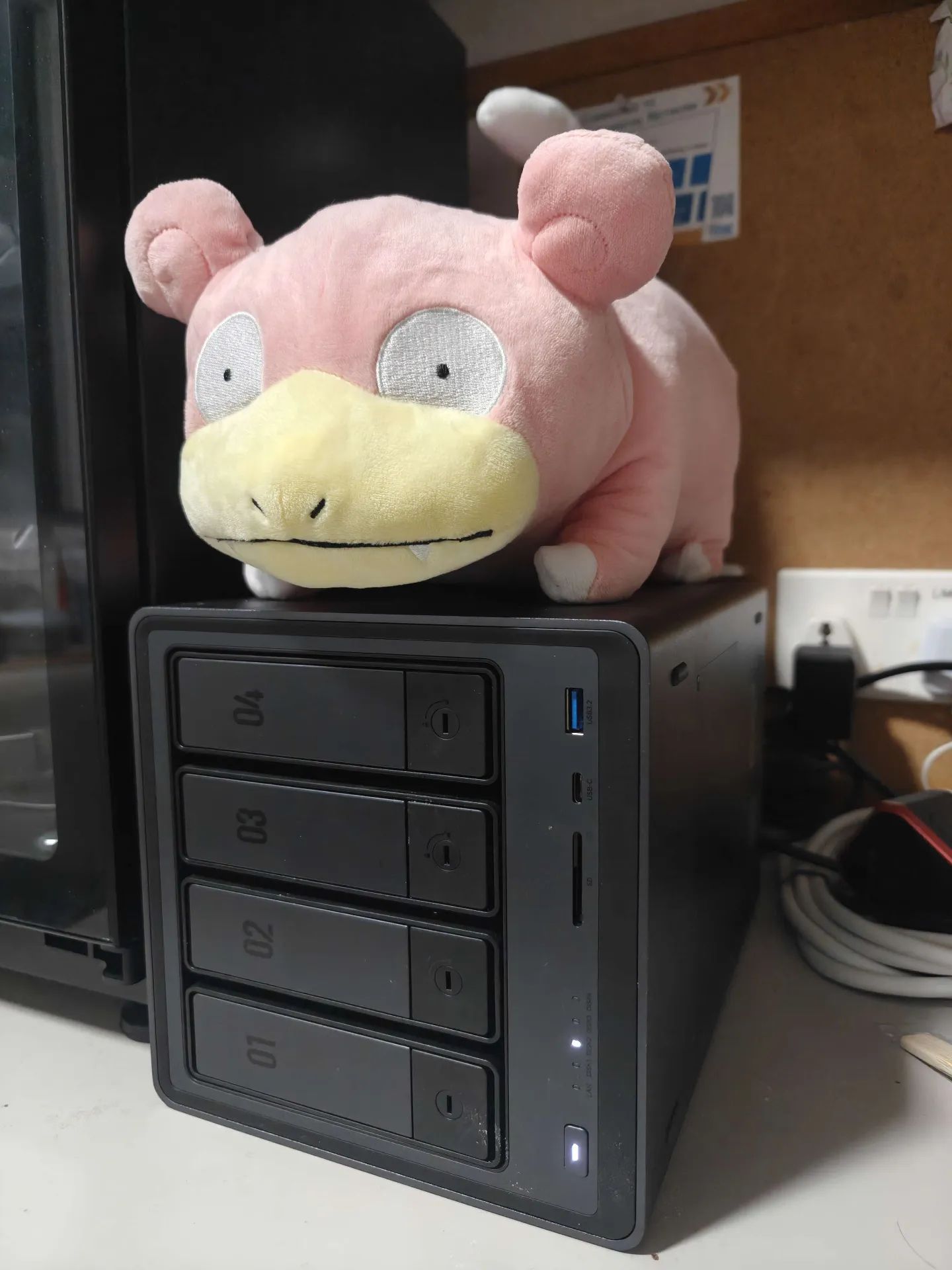 UGreen NAS DXP4800, with 56 TB of total storage
Initial installation
Since my NAS arrived, I immediately purged the UGreen OS and installed TrueNAS Scale instead. There was a hiccup at the time, which prevented me to install the latest version of TrueNAS, but installing 24.04 and upgrading is an easy workaround for me.
TrueNAS Scale installation itself is pretty straightforward, which include setting up RAIDZ1 for my 4 HDDs (one disk redundancy), which give plenty effective storage size of 42TB.
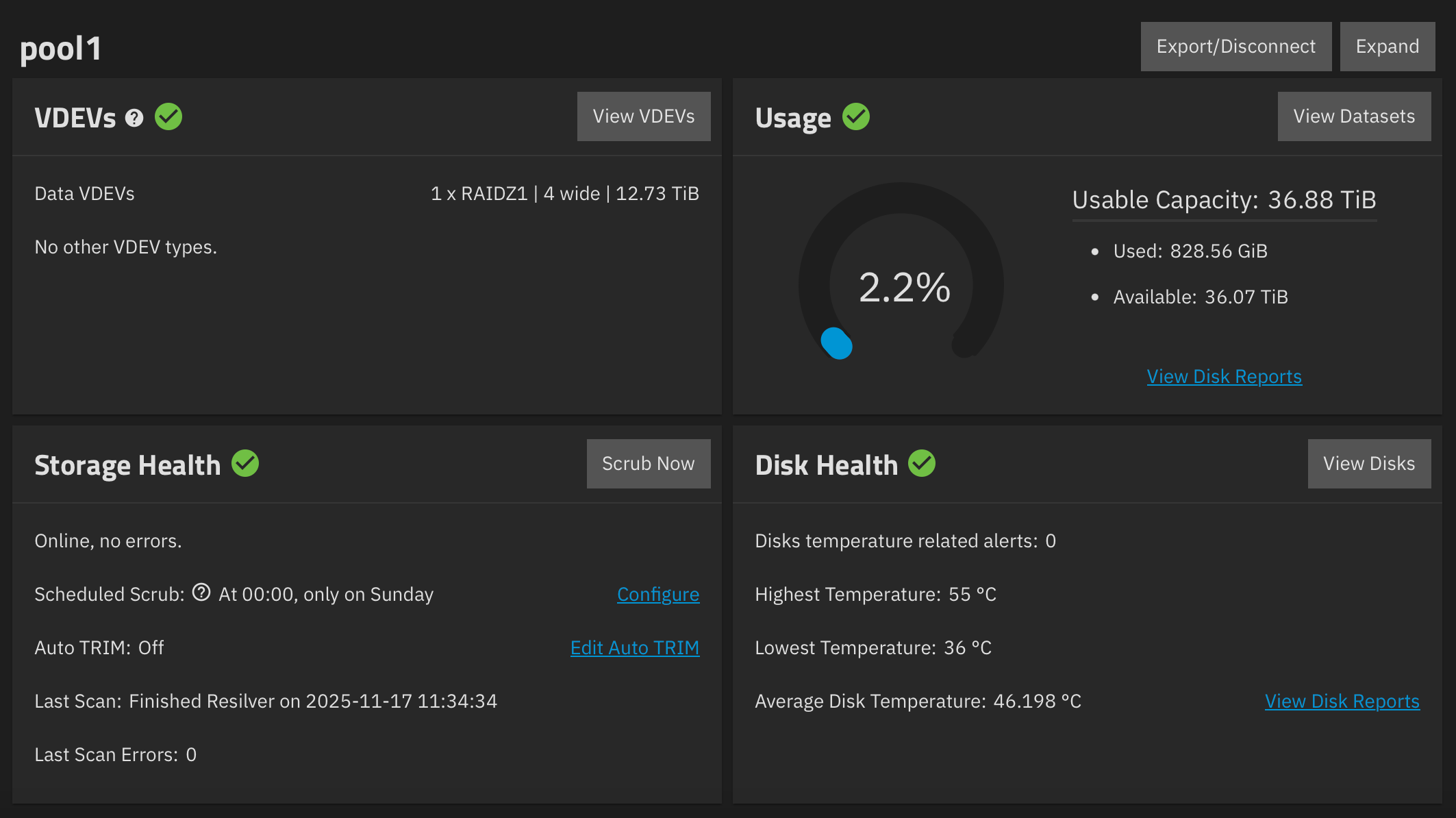 TrueNAS Scale storage dashboard
Future discussion
There are in fact many things I would like to discuss about the setup of my homelab server. I will update this section from time to time after I finished a new article.
Future article ideas may include:
- Minimizing HDD noise,
- Setting up docker apps, including official TrueNAS appstore and using Docker Compose on Portainer,
- Remote access via tailscale and cloudflare, and reverse proxy with Caddy/Traefik,
- My docker apps stacks (including nextcloud, immich, jellyfin, and *arr stacks)
- Setting up cloud backup with Storj.io - following 3-2-1 backup practice,
And in the future, I will post more interesting monthly links regularly as well :) So stay tuned!