Minimizing HDD Noise
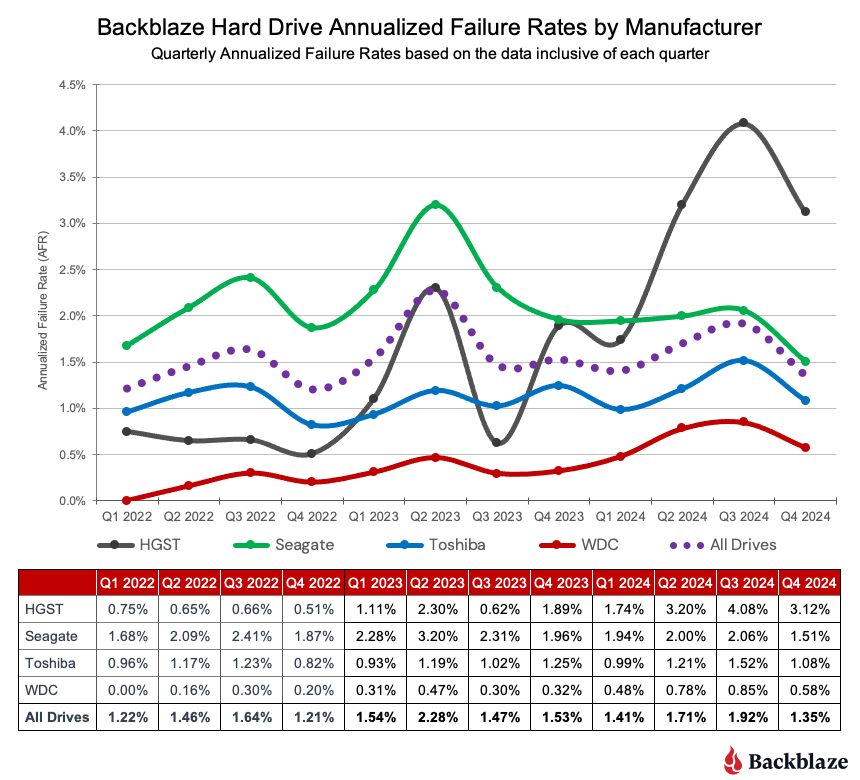
What I did not anticipated before when I setup my NAS was how loud the enterprise HDDs are. WD Ultrastar is as loud as it could possibly be. See this video for a reference. It really makes me thought that my HDDs arrive broken (especially the fact that they are secondhand). Apparently, these are normal, and WD Ultrastar drives are known to be the most reliable HDD you can get out there (from the annual Backblaze HDD failure rate article)
As I put my NAS in my bedroom, I need it to operate with as little noise as possible. This implies that I should minimize all HDD activities to avoid any unnecessary R/W operations. In the next blog, I will get into the details on the (software) approaches that I take to make it as silent as possible.
Minimizing Noise
Obviously, we want to reduce read/write operations on our HDD. First thing we need to divert all logging operations from our HDD to somewhere else.
This includes:
- Changing the system dataset pool System > Advanced Settings > Storage from HDD pool to SSD pool or boot pool.
- Setting docker pool to SSD pool.
- Separating docker apps mount related to database and logging to SSD pool.
Monitoring Operations
It can be useful to monitor which process which require disk operations.
# htopand check the I/O page is really useful to see which process is using the I/O operations# zpool iostat -v hddpool 1will print hddpool iops every 1 second. If you see nonzero iops on idle, then it means some process is still logs in your HDD pool.